Git-Sim uses a command-line tool to visually simulate Git operations in your local repository. This tool will enable us to easily create handy diagrams and animations illustrating how each Git command will affect the state of your own Git repo. In a nutshell, git reset simply moves the tip of the current branch back to a previous commit.
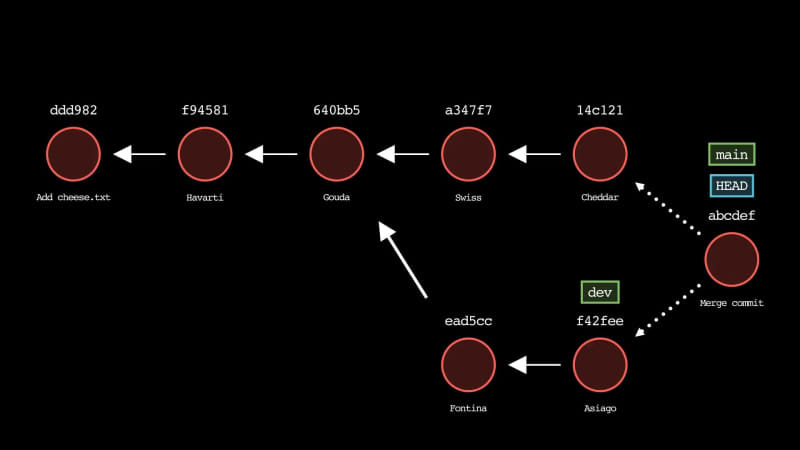
Table of contents
git reset – How to Reset Git HEAD while Managing Changesgit merge – How to Merge Changes from Multiple Branchesgit rebase – How to Move the Current Commit onto a New Base CommitSummaryNext StepsSort: