Step-by-step guide to building a two-node active/passive high-availability cluster on Ubuntu using Heartbeat and a DigitalOcean Reserved IP. Covers installing and configuring Heartbeat on both nodes, generating auth keys, creating a floatip init service that calls the DigitalOcean API to reassign the Reserved IP on failover,
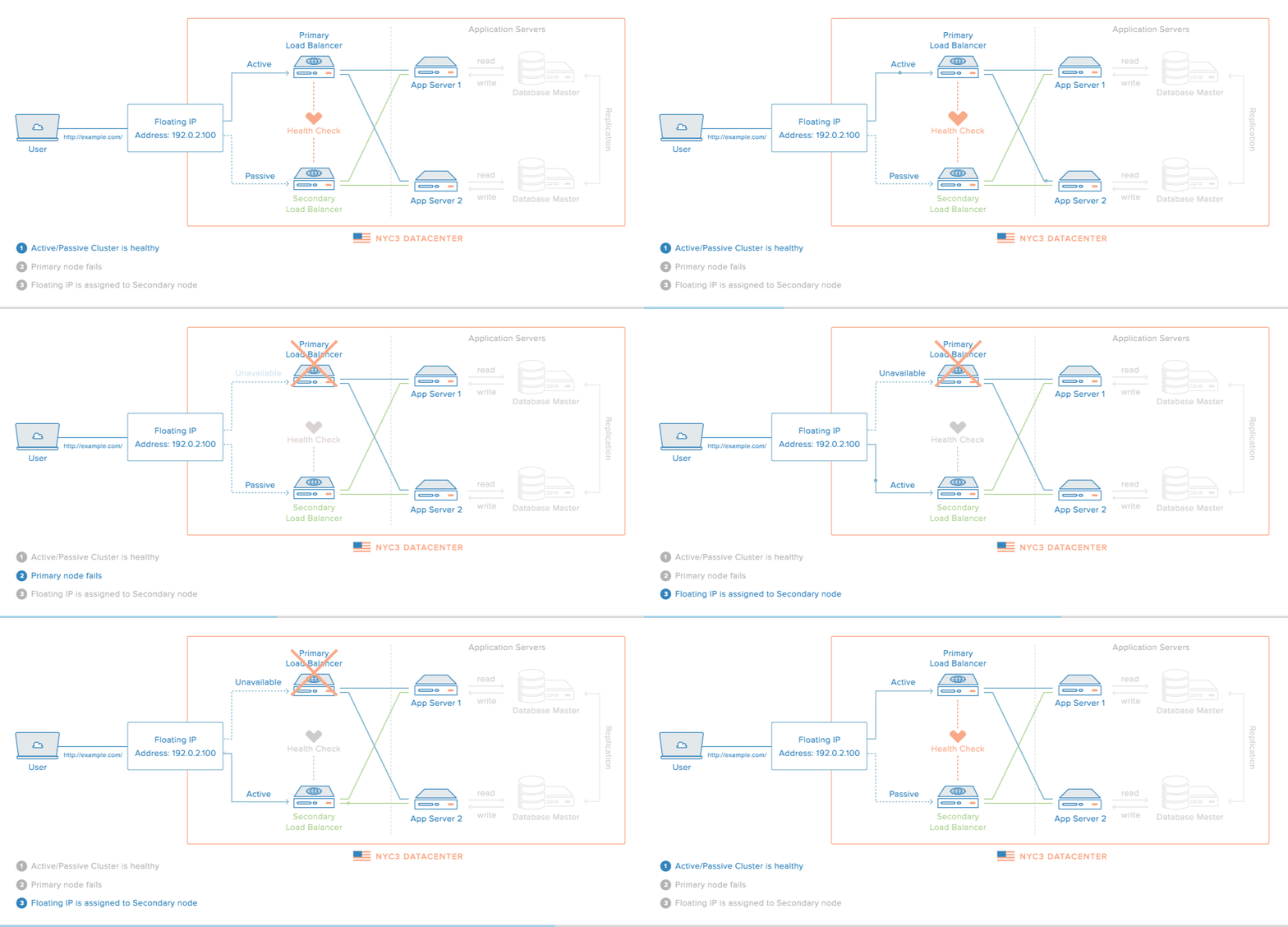
Table of contents
IntroductionKey TakeawaysArchitecture OverviewGoalPrerequisitesCreate DropletsCreate a Reserved IPConfigure DNS (Optional)Install HeartbeatConfigure HeartbeatCreate authkeys FileCreate Reserved IP Reassignment ServiceStart HeartbeatTest High AvailabilityOperational ConsiderationsHeartbeat vs PacemakerFAQsConclusionSort: